
Levittown sits in the middle of a busy corridor of trade and services. Small firms, contractors, medical offices, schools, and local agencies all share the same reality. If email stops, if phones fail, or if a key application drags, the day backs up quickly. Customers and residents do not see servers or firewalls. They only notice whether your team can respond when they call.
Inside many organisations, responsibilities for technology have been spread across several vendors, a few internal power users, and a collection of cloud subscriptions. One provider might manage phones, another touches the internet circuit, a third looks after a server, and the rest falls to whoever happens to know the most about computers. This makes it hard to tell which risks are covered, which tasks are slipping, or where to start when something serious happens.
Infradapt brings those moving parts under one operational program. We run day to day support, routine maintenance, security controls, and data protection as an ongoing service instead of a series of emergencies. Leaders get one accountable team, clear scope, and a steady monthly cost while staff gain a predictable way to ask for help and keep work moving.
Your team uses technology in simple ways that matter a lot. They open mail, check calendars, work in one or two main applications, print documents, and answer calls. When those actions work without delay, nobody thinks about infrastructure. Our managed service exists to protect that normal feeling and to give you one group responsible for it.
People in your organisation have a single place to turn when something goes wrong. That might be a password that will not work, a laptop that freezes, a missing folder, or a confusing message on the screen. We log the request, keep the person informed, and record the fix so patterns can be spotted later.
Desktops, notebooks, and shared machines are maintained on a routine schedule. We apply vendor updates, remove obsolete software, and watch resource usage so devices stay responsive longer instead of gradually slowing down and causing frustration for staff.
City offices, remote workers, and small branches rely on a stable path to the internet and to cloud platforms. We monitor key network gear and connections, adjust configuration where needed, and work with carriers when a problem is outside the building so your staff are not stuck doing that work.
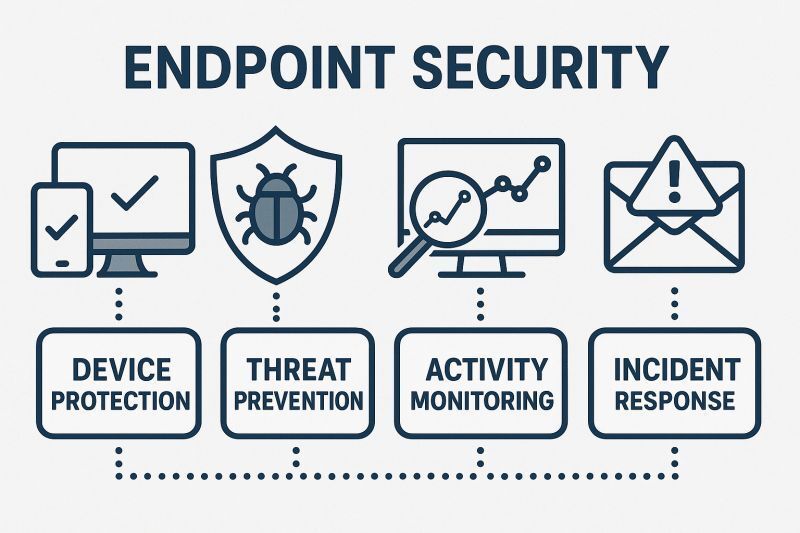
We operate threat protection on endpoints and mail, filter obvious malicious traffic, and apply practical controls that fit your size and risk level. The aim is to reduce the chance that a rushed click or an outdated system leads to lost data or a long outage.
For services such as Microsoft 365 we manage sign ins, basic configuration, shared locations, and access rules as people join, move between roles, or leave. That helps keep information available to the right staff while closing down access that is no longer required.
We define backup routines for important systems and perform restore tests so recovery is a practiced task rather than a theory. On top of that a senior advisor meets with your leadership on a set rhythm to review risks, asset age, and upcoming changes so decisions are made with current information.
Levittown and the surrounding townships are home to firms and public bodies that look very different on the surface yet share similar demands on technology. Below are examples of groups that often ask us to run their IT operations and the ways they rely on systems each day.
Moving IT operations to a new partner does not need to be chaotic. The workload is organised into stages so people can continue to serve customers and residents while we become familiar with your environment and begin to run it in a consistent way.
Technology will never be completely invisible, but it can stop being the constant distraction that pulls leaders away from their main work. Our managed IT service is built to create that shift and to give you clearer control over cost and risk.
We give you dedicated contact details by phone and email and can also provide a simple web portal. You choose which channels to promote to staff so they have a straightforward way to reach us.
Requests are sorted by impact on the organisation. A complete outage or a problem affecting many users is handled before minor one user questions while still keeping you informed about all open tickets.
Yes. Many tasks are handled remotely, but hardware work, new equipment builds, and certain troubleshooting steps are best done on site. Field visits are scheduled as part of the service when needed.
Regional offices, small branches, and home based team members can all be brought under a single managed service as long as they meet the technical requirements for remote support and security.
Routine adjustments such as new user setups, shared folder changes, or basic configuration updates are included in the ongoing service. Larger efforts are scoped and scheduled so you know the cost and impact in advance.
We provide periodic summaries that highlight ticket trends, notable outages, backup status, and security events. The goal is to give decision makers a quick view of whether risk is increasing or decreasing.
New starters receive accounts and access based on their role. When roles change, we adjust access to match. When someone departs, we remove or archive accounts according to your policy so access does not linger.
We can assist with planning connectivity, placing network equipment, and coordinating timing so systems are ready when the new space opens. This work is scoped as a project alongside the regular service.
Short briefings can be arranged to explain how to contact support, how to handle suspicious messages, and how to work with new tools. Sessions can be run live or recorded for later viewing.
The early months are focused on stabilising systems and clearing long standing issues. As things settle, attention shifts toward improving resilience, planning refresh cycles, and tuning service levels based on what we have learned together.

