
Lock Haven brings together a college campus, medical practices, light industry, public offices, and small professional firms that serve the river valley and surrounding townships. People in those organisations schedule classes, track patient visits, process payments, approve permits, and manage projects with the help of screens, phones, and shared information. When those tools respond quickly the workday moves along. When they stall, the whole schedule feels tighter.
Most of the local technology landscape grew in layers. A server was set up years ago to run one key application, another team added a cloud product with a credit card, someone extended wireless coverage for a new wing, and a handful of employees became the go to names whenever something technical misbehaved. That pattern keeps things moving in the short term but makes it hard to describe what you have today, how well it is protected, or what would fail first in a serious outage.
Infradapt turns that stack of changes into a structured IT operation. Our team looks after user support, device upkeep, networks, cloud access, security basics, and recovery plans as one service with a defined monthly amount. Leaders gain a single partner responsible for keeping systems usable, and staff gain a clear place to turn when they need help.
Your staff should not need to think about patching, routing, backup jobs, or account policies. They care about whether sign ins work, files open, and calls connect. Our managed service covers the behind the scenes work that keeps that simple experience in place.
When someone runs into trouble with a password, a frozen app, a printer that refuses to cooperate, or a missing shortcut, they contact our support desk. The request is logged, assigned to a technician, and tracked until it is resolved so people are not left guessing who is looking at it.
We keep user devices on a standard build, apply operating system and driver updates, and watch for early signs of failing hardware. That reduces the number of surprise breakdowns during registration periods, clinics, or production runs and makes replacement planning easier.
Switches, access points, and firewalls are monitored and checked so traffic can move smoothly between offices, classrooms, and plant areas. If error rates climb or certain paths start to choke, our engineers adjust configuration or plan changes before users feel ongoing slowness.
In environments such as Microsoft 365 we look after user accounts, basic policies, and shared locations. As people join, change roles, or leave, we keep access aligned to their responsibilities so the right groups see the right information from campus, office, home, or field locations.
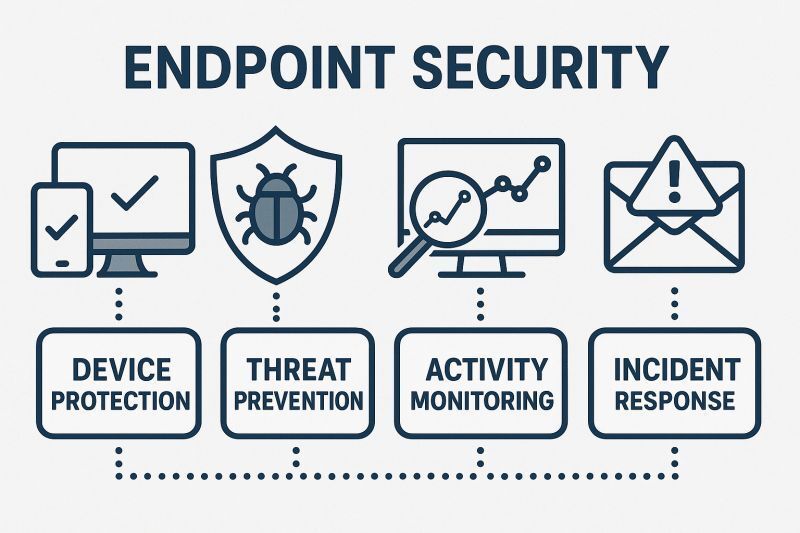
Endpoint protection, safer handling of incoming mail, and straightforward access rules are managed as part of daily operations. We focus on blocking common threats and reducing avoidable mistakes without turning every login into a burden for your staff.
Key systems and agreed data sets are included in a documented backup pattern. At regular intervals we restore sample data and record how long it takes and what can be recovered so you have a real view of your recovery position instead of relying on assumptions.
Within a small area you can find lecture halls, clinics, machine shops, law offices, and city departments. The work they do is different, yet many rely on similar foundations connectivity, shared files, business software, and communication tools that must be ready when people walk in the door.
Shifting responsibility for technology to a new team should feel controlled rather than disruptive. Our onboarding approach is built so that we can learn your environment, put our tools in place, and begin running day to day work while staff continue with their normal duties.
Most leaders in Lock Haven are not looking to turn IT into a new hobby. They want staff to spend less time stuck on technical problems, they want problems to have a clear owner, and they want costs that can be planned rather than guessed. Our service is shaped around those expectations.
Yes. In many organisations we take over infrastructure care and user support while internal staff stay focused on process, reporting, and specialised software.
During discovery we identify older platforms that the organisation still depends on. Together we decide whether to stabilise them, wrap them with safeguards, or plan for a gradual replacement.
We provide simple instructions for using phone, email, or a web form to reach the support desk. Those details can be added to intranet pages, printed notices, or new hire materials.
When issues involve both an application and the underlying systems, we coordinate with the vendor and share progress with you so staff are not stuck relaying technical details.
Laptops and mobile devices used away from the main sites can be brought under the same monitoring, security, and support processes as office equipment, subject to basic technical requirements.
We can summarise your current controls, provide diagrams or brief descriptions of the environment, and recommend focused steps that will strengthen your position before an auditor or insurer asks questions.
Over time you should see fewer repeated incidents, better communication during outages, more complete documentation, and clearer reporting about where you still face risk.
If your footprint changes, we can adjust coverage so monitoring, support, and monthly cost match the number of sites and staff you actually have.
Yes. Some work such as hardware replacement or physical wiring changes needs a technician on location. Those visits are scheduled through the service so you know when they will occur and why.
A short conversation about how technology is handled today, where it gets in the way, and what you would like the next few years to look like usually gives enough context to outline a sensible path forward.

